


TickTock-TikTok Live Wallpaper
4.726.19K Reviews
App Specs
- Version
- 35.4
- Updated On
- License
- Free
- Downloads
- 100,000,000+
- Developer
- TikTok Pte. Ltd.
- Categories
- Tools
- Platform
- Android, iOS
Screenshots
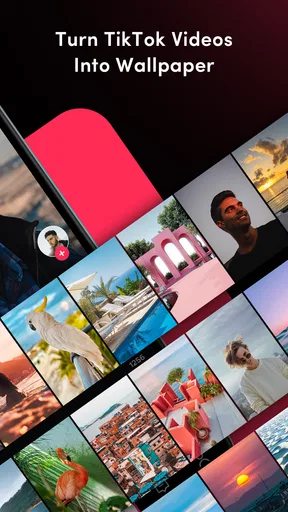
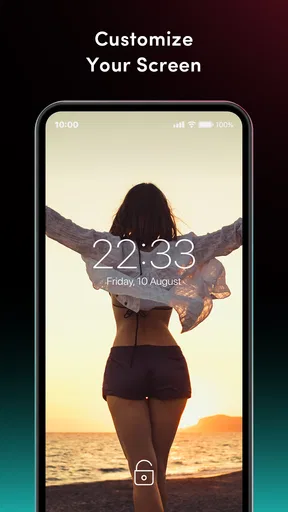
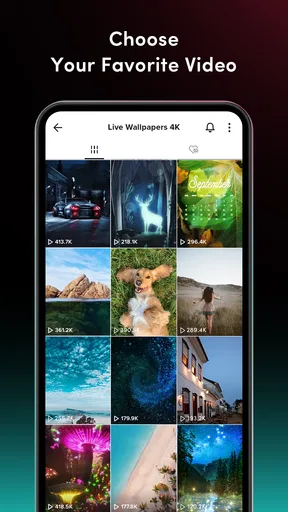
 Analysis by AppCompare
I think the key question with a wallpaper app is not whether motion looks fun for a minute, but whether it still feels right after you have unlocked your phone dozens of times. TickTock-TikTok Live Wallpaper is aimed at people who want a favorite TikTok clip to become part of their phone’s look, rather than simply saving it in a gallery and forgetting it. That small change can make a device feel more personal, though it also means choosing motion that you will enjoy seeing repeatedly.
It is a free tool from TikTok Pte. Ltd., and its appeal is easy to understand: the wallpaper is meant to bring short-form video into a part of the phone you see every day. I would consider it most useful for someone who already has a particular clip in mind, not someone expecting a deep wallpaper-design studio with endless controls. The best result is likely to come from being selective: a clip that looks good in a quick preview may be distracting when it is constantly in view.
Choosing a clip that works beyond the preview
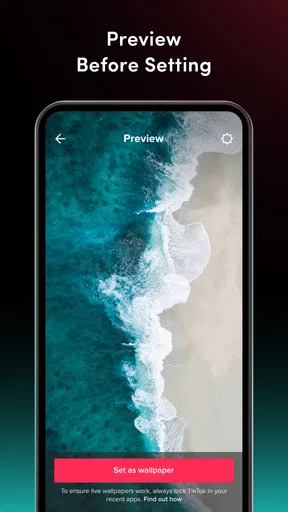
Before setting anything, I would think about how the video will look cropped on a tall screen. A subject near the center is generally a safer choice than text, faces, or important action pushed to the edges, where a wallpaper crop can make the composition feel cramped. I would also preview the clip against the home-screen icons: a busy image behind app labels can make the screen harder to scan, even if the video itself is attractive.
There is a practical difference between a clip that is entertaining to watch and one that makes a comfortable background. A calm loop, a simple movement, or a familiar visual may suit a home screen better than a rapid sequence of cuts. If I were using a dance or meme clip, I would check whether its most recognizable moment stays clear when viewed as a background rather than as a full video. That quick check can save the annoyance of applying a wallpaper and immediately wanting to replace it.
A day-to-day use that makes sense
Imagine picking a short clip you like during a break, then using it as a small personal touch when you return to your phone later. That is the kind of everyday use this app fits: a favorite visual becomes part of the device without requiring you to open TikTok each time. It works especially well for someone who changes their phone’s look occasionally to match a mood, a hobby, or a clip they have been sharing with friends.
I would keep expectations modest about how often the novelty will matter. A wallpaper is background decoration, not a new way to watch or organize videos. If you mainly want to revisit clips, TikTok itself or a saved-video collection is more direct; if your goal is a moving home-screen image drawn from TikTok, this tool has a more specific purpose. The choice comes down to whether seeing the clip in the background adds enjoyment or just adds visual activity.
Where it sits among wallpaper options
Compared with a standard still wallpaper, a live clip has more personality but can also compete with icons and make the screen feel busier. Compared with a general wallpaper app, the TikTok connection is the point: it is for people who want a video associated with TikTok on their device, rather than a broad collection of static backgrounds. If you prefer a carefully composed photograph, a simple color, or a design that never moves, the usual static wallpaper setting is likely the better fit.
Worth Reading Before You Choose

Baby Panda World Brings Quick Play to Modern Phones, but Its Game Library Feels Busy

ESPN’s Live Game View Makes Following Close Games Easier

QuizzLand Review: A Good Fit for Short Trivia Breaks, Not Every Player

Basketball Stars: Multiplayer Is Fast, but Can It Recover When Matches Go Wrong?

WEBTOON Turns Phone Updates Into a Better Reading Routine

Link to Windows Runs on Shared Habits, Not Social Feeds
There is also a useful middle ground: use a lively clip on a screen you see often, but choose something visually restrained rather than the most energetic video in your favorites. That trade-off keeps the personal touch while reducing distraction. If you are undecided, I would start with a clip that has a clear subject and a simple background, then switch back if the motion feels tiring in ordinary use.
Setting the Scene
When I first stumbled upon TickTock-TikTok Live Wallpaper, I was pretty intrigued. I mean, who doesn't want their phone to look a little more dynamic and exciting? The concept is simple yet effective: transform your static wallpaper into a living, breathing animation. And if you're a fan of TikTok, you'll find it pretty irresistible.
The installation process was a breeze. A quick download from the app store, a few taps here and there, and voila! It was ready to go. The app's interface is straightforward, which I appreciated. No complicated settings or confusing menus—just a clean layout that gets you where you need to be.
Features That Stand Out
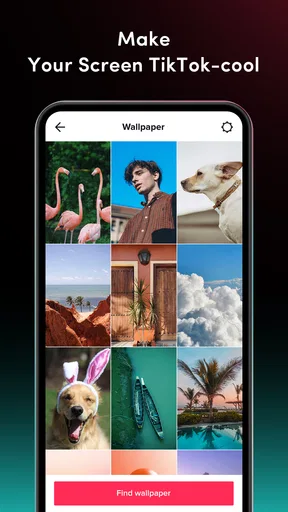
Once you're in, you're greeted with a variety of live wallpapers to choose from. The selection is quite impressive, with something for everyone. Whether you're into vibrant colors, minimalist designs, or quirky animations, you're bound to find a wallpaper that tickles your fancy.
One of the standout features is the ability to customize your wallpapers. Want to add a little personal touch? Go ahead! You can tweak the animations, adjust the speed, and even incorporate your favorite TikTok videos. It's a neat way to make your device uniquely yours.
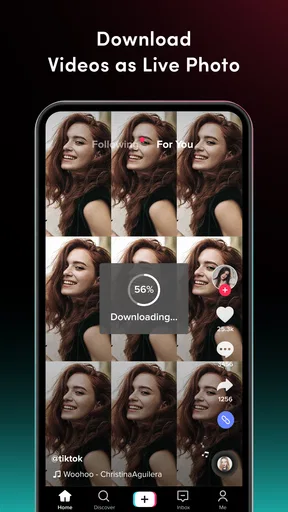
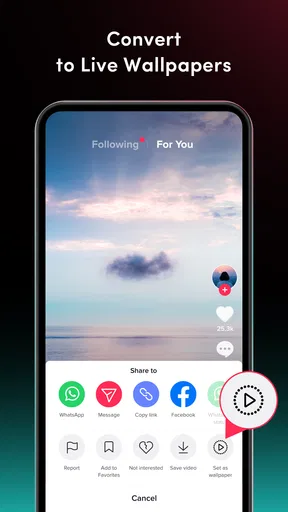
Another cool aspect is how the app integrates with TikTok itself. You can easily turn your favorite clips into live wallpapers. Just imagine having your go-to dance or meme right there on your home screen. It's a seamless blend of functionality and fun, making it more than just a pretty face.
Performance and Usability
Now, let's talk about performance. With apps like these, there's always a concern about battery drain and lag. I'm happy to report that TickTock-TikTok Live Wallpaper runs smoothly without noticeable dips in performance. The developers have clearly put in the effort to optimize the app, ensuring it doesn't hog resources.
It's also pretty lightweight, so it doesn't take up too much space on your device—a big plus for those of us constantly battling storage issues. And, if you're worried about compatibility, the app supports a wide range of devices, both Android and iOS, so no one gets left out.
Looking at the current release
The current version is 35.4, and the app first appeared on June 4, 2018. Those release details tell me this is an established utility rather than a brand-new experiment, but they do not prove that every part of the experience has changed in a particular way over time. I would treat the current version as the one to evaluate on your own device, since wallpaper behavior can depend on the phone and operating system as well as the app itself.
For someone already using an older release, the sensible question is whether the current build still suits their routine, not whether a version number alone promises a new feature. If your wallpaper is already set and behaves as you like, you may have little reason to alter your habits immediately. If you are installing it fresh, start with one clip and check the result before spending time building a whole look around it.
What existing users should check
The app is listed for Android devices running at least version 4.1, and its content rating is Everyone. That broad age rating makes it accessible to a wide audience, but it does not mean every video is appropriate as a shared or family-facing background. I would choose the clip itself with the same care I would use when showing it to someone nearby, especially if children use the phone.
Its average rating is 4.7 from around 1.8 million ratings, with roughly 26,000 written reviews and over 100 million installs. Those figures show that many people have tried it, but a popular app is not automatically the right one for every phone or taste. If you are testing it on a device you rely on all day, pay attention to whether motion feels distracting and whether the wallpaper remains comfortable during normal use.
Useful checks before settling on a wallpaper
A low-effort way to judge a clip is to look at it in the places where you actually use your phone: the home screen, the app grid, and any screen where icons or text need to remain easy to read. If the video makes those elements hard to pick out, try a simpler clip rather than assuming you need to abandon live wallpapers altogether. The right source video can matter more than the amount of customization available.
I would also keep a still image ready as an easy fallback. That is not a knock on the app; it is a practical way to compare the moving background with your normal setup and decide whether the extra motion is worth keeping. Someone who shares a device with another person may want to agree on a neutral choice, since a personal favorite can feel much less appealing to the next person who picks up the phone.
Who may prefer a different choice
This is not the right pick for everyone. If you want a wallpaper that stays quiet, offers precise graphic-design controls, or is selected from a broad library of still images, your phone’s built-in wallpaper tools or a conventional wallpaper app may suit you better. I would also skip a moving background if you find repeated animation tiring, or if you simply want the home screen to stay visually calm.
There is a separate expectation to keep in check: a wallpaper app is not a substitute for TikTok’s main viewing experience. Its job is to personalize the background, not to make clips easier to browse, edit, or manage. If your main goal is watching videos, use the social app; if you want one chosen clip to decorate your screen, this is the more targeted option.
Remaining trade-offs and what to watch
The central trade-off is straightforward: a video background adds character, but a screen that is always moving can be less restful and less legible than a still one. I would be cautious about using a high-motion clip behind a dense group of icons, and I would judge the result after ordinary use rather than only during setup. A wallpaper that looks striking for a moment is not necessarily the one you will want to keep.
When deciding whether to continue using it, I would watch for practical signs rather than chase a particular feature: does the chosen clip remain pleasant, do icons stay easy to spot, and does the phone still feel comfortable for your routine? Updates can change an app, so it is reasonable to review the behavior after installing a newer version instead of assuming your experience will never shift. I would also check the app’s current compatibility in the relevant store before installing, especially when using a newer device or a different operating system.
On Android, the listed minimum is version 4.1; the app is free, so trying it does not require paying for the download. It has an Everyone content rating. I see those as useful basics, not guarantees that every handset will display a live background in exactly the same way. The most reliable test is to choose one appropriate clip, set it, and decide whether it suits the screen you use every day.
Final Thoughts
So, is TickTock-TikTok Live Wallpaper worth the download? I'd say yes! It's a fun and engaging way to spruce up your device, offering a personalized touch that static wallpapers just can't match. Whether you're a TikTok enthusiast or just someone looking to add a splash of creativity to your screen, this app delivers.
Of course, like any app, it's not for everyone. If you're someone who prefers simplicity or is concerned about battery life, you might want to reconsider. But for those who enjoy a bit of flair and customization, it's a delightful addition to your app collection.
In the end, TickTock-TikTok Live Wallpaper brings a slice of TikTok's lively world to your fingertips, and for that, it gets a thumbs up from me. Give it a shot—you might just find yourself tapping along to your favorite clips right on your home screen!
Pros
- Easy to set dynamic wallpapers.
- Wide variety of TikTok clips.
- Minimal battery consumption.
- User-friendly interface.
- Regular updates with new features.
Cons
- Limited customization options.
- Ads can be intrusive.
- Requires constant internet access.
- Not all clips are high quality.
- Needs TikTok account to access features.
FAQs for TickTock-TikTok Live Wallpaper
What is TickTock-TikTok Live Wallpaper and how does it work?
TickTock-TikTok Live Wallpaper is an app that allows users to set TikTok videos as live wallpapers on their Android or iOS devices. After downloading, users can select a TikTok video, customize it, and apply it as their phone's wallpaper, bringing dynamic visuals to their home screens.
Is TickTock-TikTok Live Wallpaper compatible with all devices?
Most modern Android and iOS devices support TickTock-TikTok Live Wallpaper. However, older devices might face performance issues due to limited hardware capabilities. It's recommended to check device compatibility in the app store before downloading to ensure smooth functionality.
Does using TickTock-TikTok Live Wallpaper drain battery life?
Live wallpapers generally use more battery than static images because they require ongoing processing power to display motion. While TickTock-TikTok Live Wallpaper strives for efficiency, users may notice increased battery usage, especially if the video is longer or played at higher resolutions.
Are there customization options available in TickTock-TikTok Live Wallpaper?
Yes, TickTock-TikTok Live Wallpaper offers several customization features. Users can trim video length, choose specific segments, adjust playback speed, and even mute the audio. These options allow users to personalize their live wallpaper experience according to their preferences.
Is there a cost associated with using TickTock-TikTok Live Wallpaper?
TickTock-TikTok Live Wallpaper is typically free to download and use, but it may offer in-app purchases or a premium version. These might include additional features, removing ads, or accessing a wider range of customization tools. Check the app store listing for detailed pricing information.


